Electrical control simulation
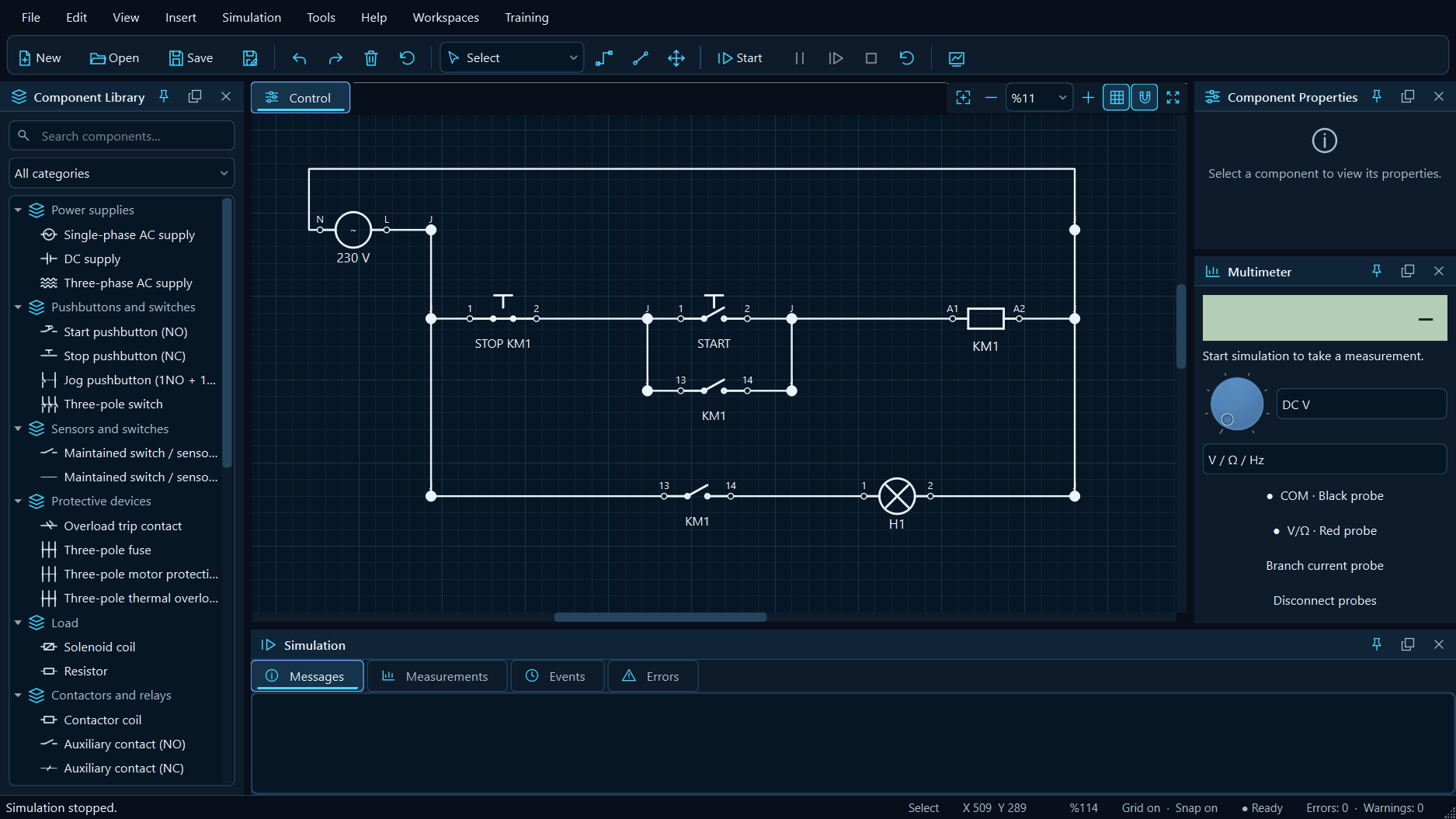
Wire pushbuttons, contacts and coils. Press and release Start to see how an auxiliary contact keeps the coil energized.
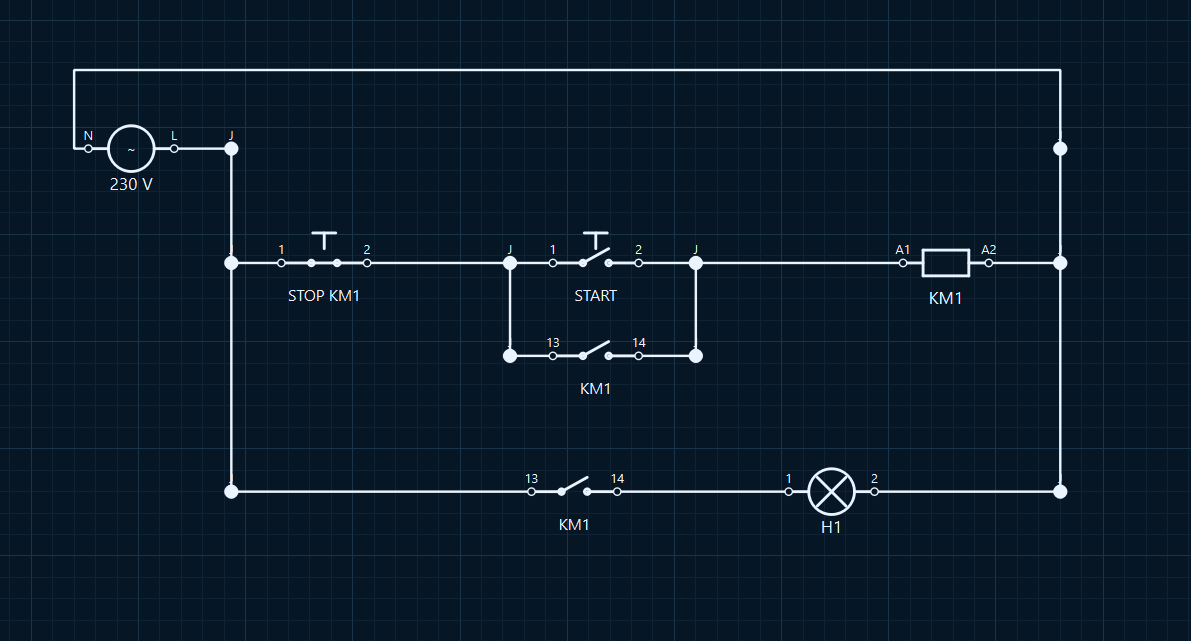
What keeps a contactor energized after you release the Start button? NodeCycle lets automation students, instructors and technicians answer questions like this by building and running electrical control circuits on Windows. Follow a command from the schematic to the simulated machine and its operator screen within the same project.
Follow what changes in the electrical circuit, the machine scene and the operator screen within the same project.

Wire pushbuttons, contacts and coils. Press and release Start to see how an auxiliary contact keeps the coil energized.
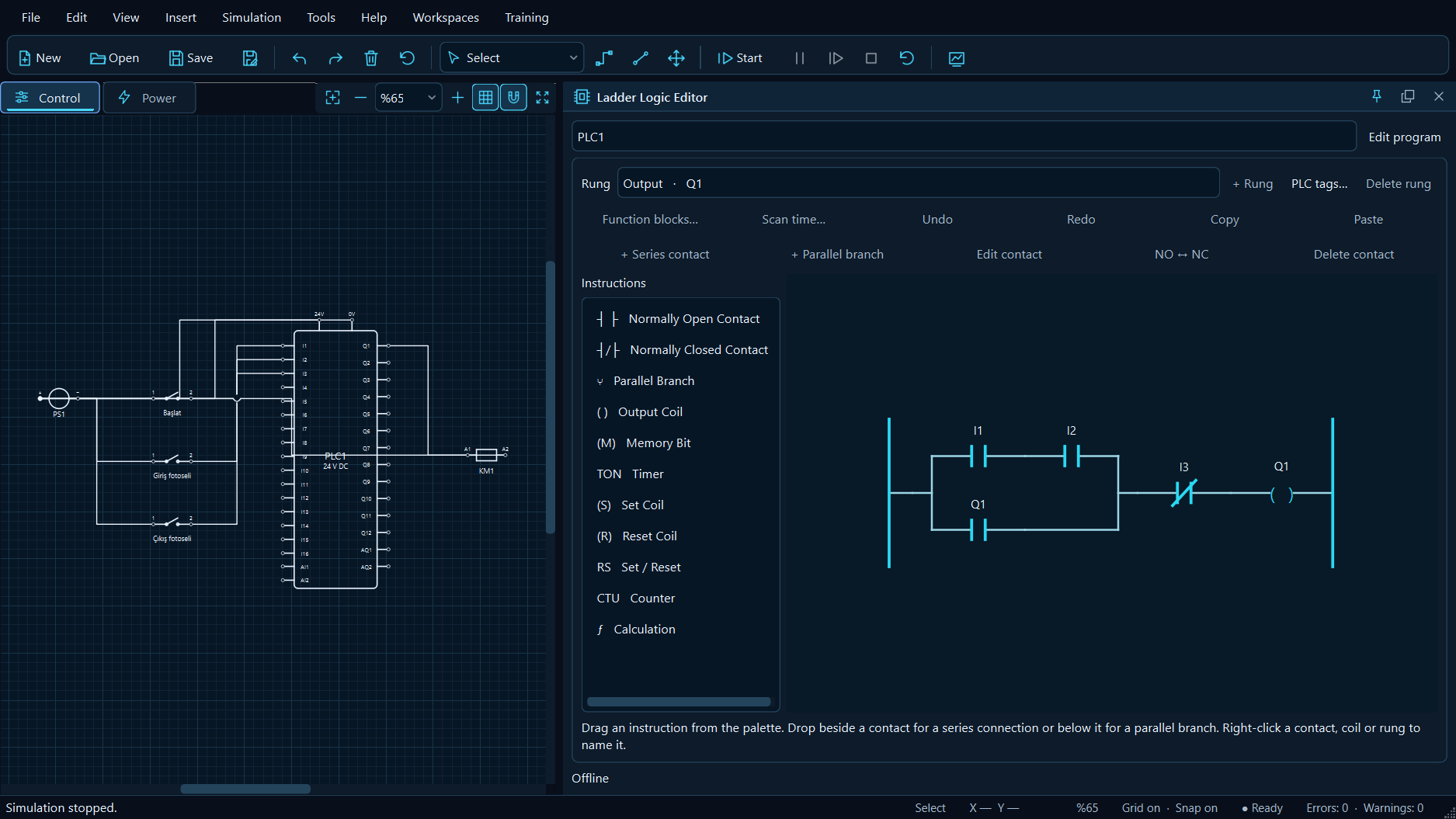
Build rungs with series contacts, parallel branches and output coils. Observe how the virtual PLC responds to input changes.
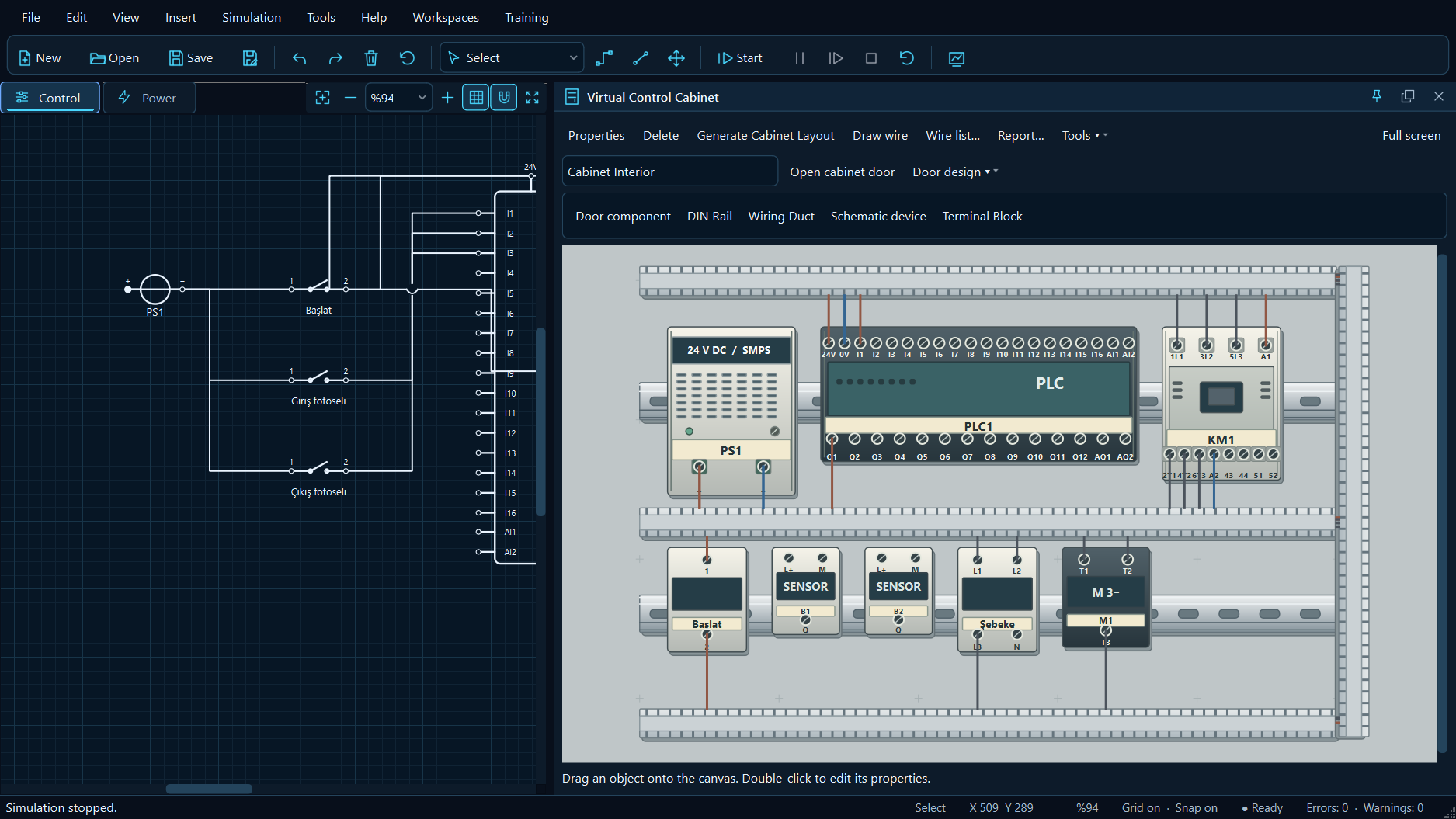
Generate a cabinet layout from the schematic and mount devices on DIN rails. Trace each wire between its two terminals in the cabinet report.
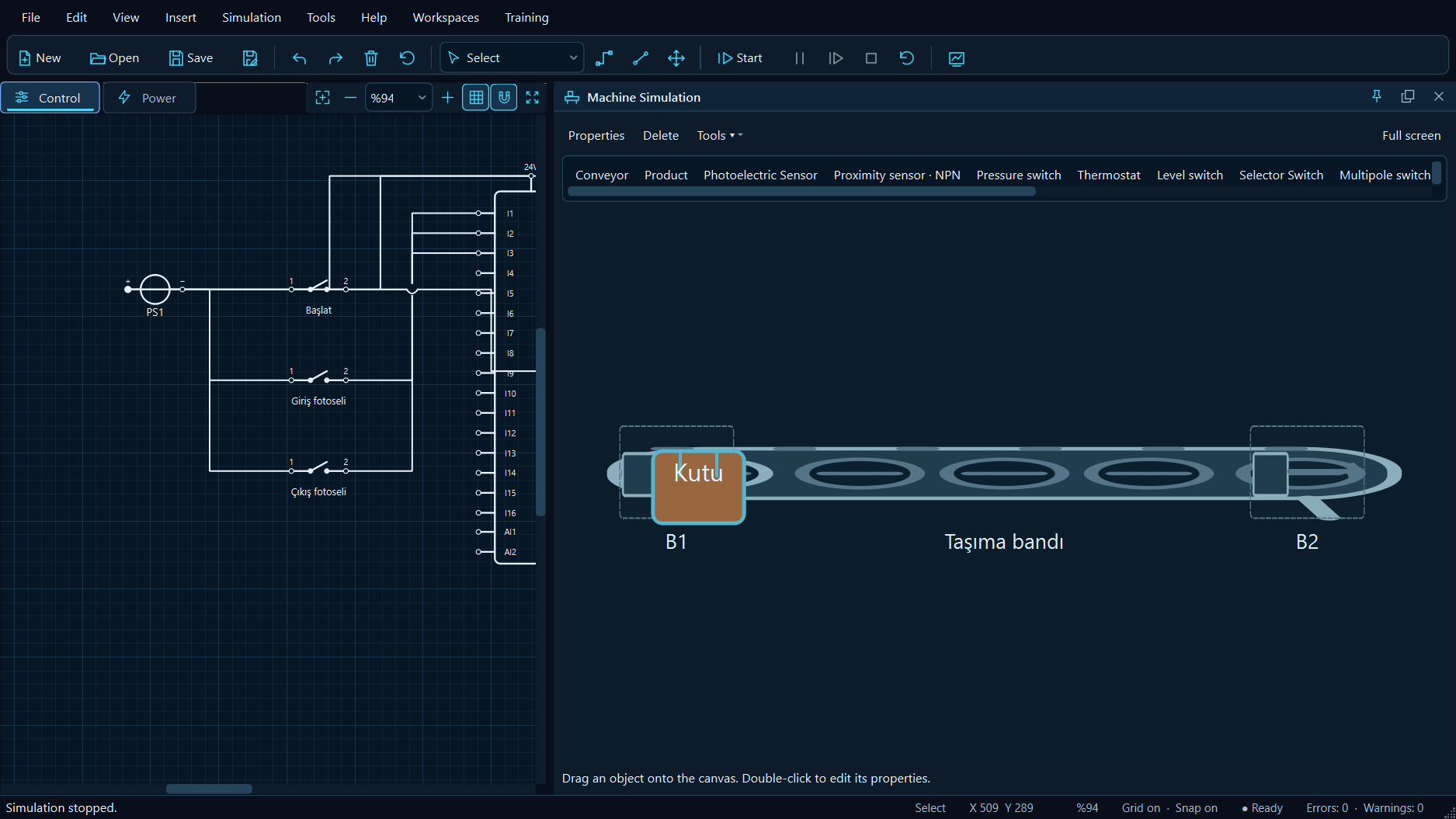
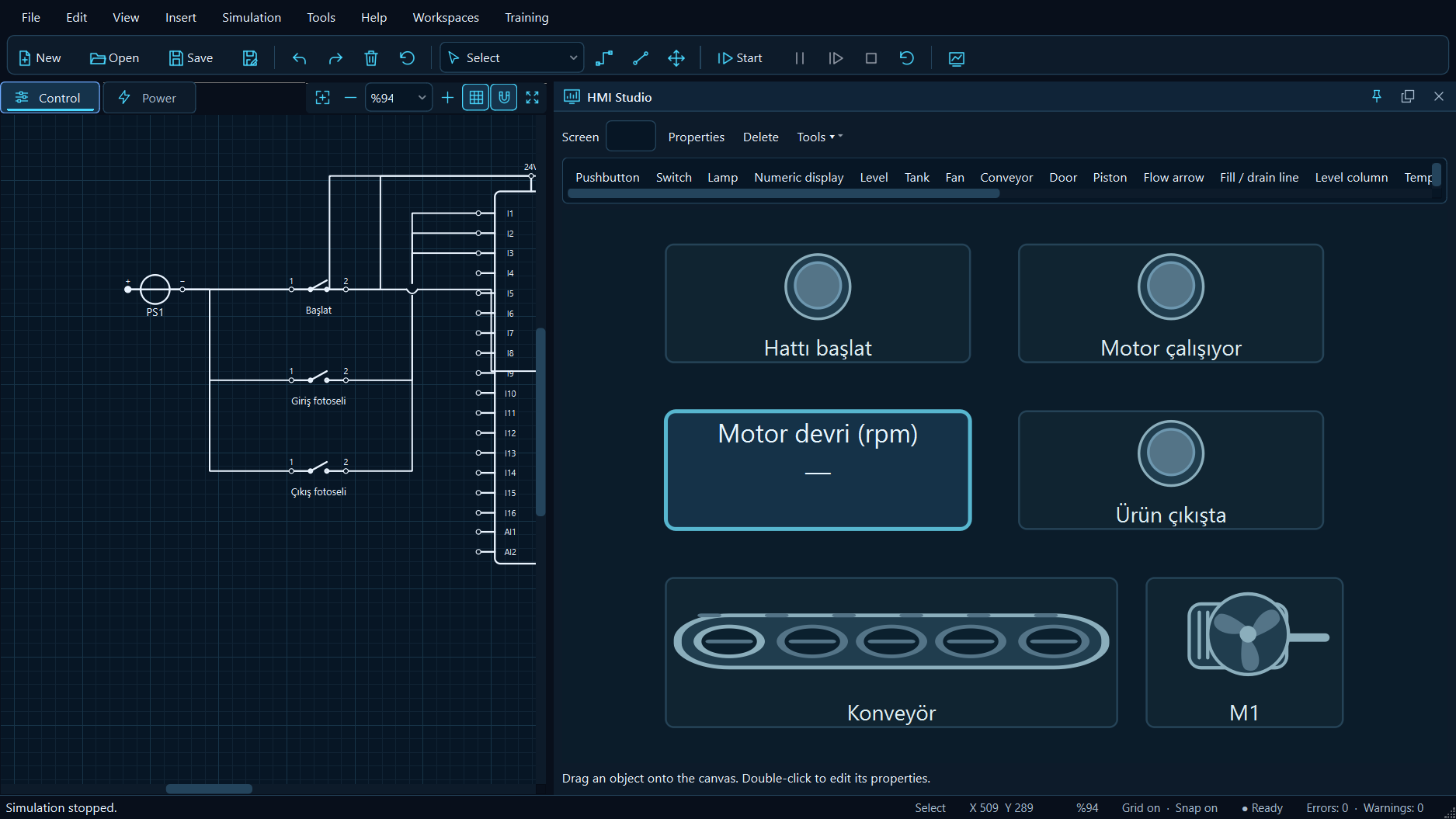
Link a conveyor to its drive motor and a photoelectric sensor to its contact in the schematic. Watch a moving product interact with the control circuit.
Bind pushbuttons, indicators and pilot lights to project signals. Put an operator’s start command and the motor’s running feedback on one screen.
Measure the voltage between two simulated terminals. Probe A1 and A2 to check whether a contactor coil is receiving voltage.
The package targets x64 Windows. Installation, startup in Education mode and uninstall were tested on Windows 11 Pro. Separate Windows 10 and clean-install tests are pending. Minimum RAM and CPU requirements have yet to be benchmarked. Python and Qt are bundled. Installation and use work offline.
Run the installer, select a language and choose an installation folder. Launch NodeCycle in Education mode. Download Start-Stop.kmd below, open it from the File menu and start the simulation from the toolbar. Then press START on the schematic. The toolbar starts the simulator; the pushbutton operates the circuit.
For the portable edition, extract the entire ZIP and run NodeCycle.exe from the extracted folder. Moving just the executable leaves its libraries behind. Windows may show an unknown publisher warning because the installer is unsigned. Check the download source and compare its SHA-256 hash with the value on the download page.
Objective: See how a momentary start command can keep a contactor energized after the button is released.
Components: A 230 V AC supply, a normally closed STOP KM1 pushbutton, a normally open START pushbutton, a KM1 contactor coil, two normally open KM1 auxiliary contacts and an H1 pilot light.
Choose the EXE installer or the portable ZIP. The free beta runs for 365 days from first launch. The start date is stored offline for the current Windows user. Pricing for future releases has yet to be determined.
First public release planned. The current focus is stabilization, testing and packaging.
No public installer, release date or checksum has been published yet.
SHA-256
SHA-256
The virtual PLC and Ladder Logic Editor are available in the Public Beta. The machine scene can link a cylinder to solenoids and end-position switches. A standalone pneumatic circuit simulator has no announced release date. Development priorities include electrical model improvements, performance measurements on larger circuits and installation testing on a clean Windows system.
When reporting an issue, include your NodeCycle version, Windows version, the module you were using and the shortest steps that reproduce it. Describe what you expected and what actually happened. If available, attach a screenshot or a small .kmd project that demonstrates the issue.